
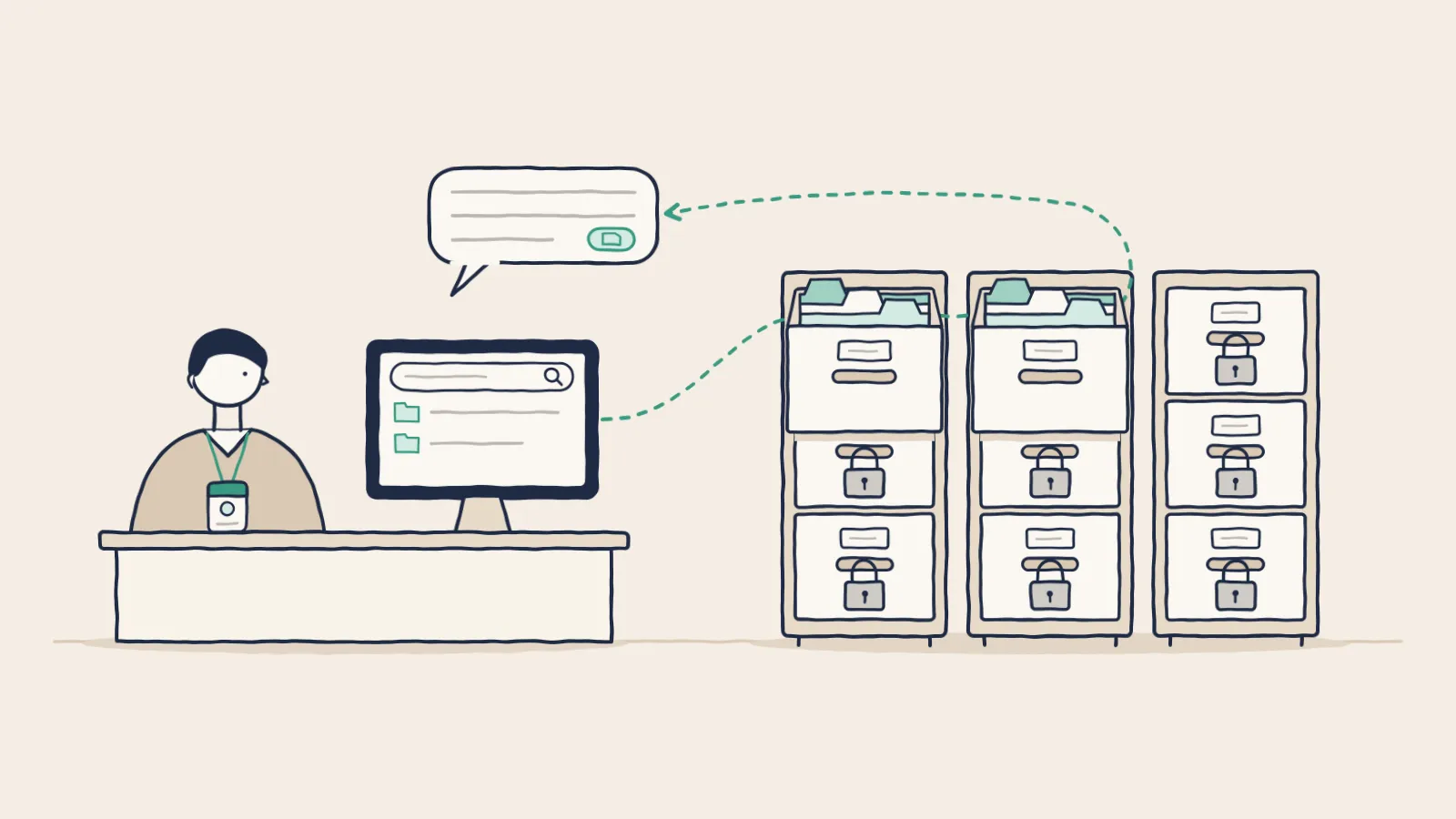
A loan officer asks the bank's AI assistant to sum up a borrower's file. The assistant also indexes the BSA team's case files, and one of them holds a draft SAR on the same borrower. If the assistant searches everything and trims the results afterward, the SAR text can reach the model before any filter runs.
Under 31 CFR 1020.320(e), a SAR and anything that would reveal it are confidential, and sharing inside the bank has to serve a BSA purpose.[1] Permission-aware AI keeps that file out of the model and out of the answer for anyone the BSA team hasn't cleared. The same rule has to hold for agents that act on a person's behalf.
What makes an AI permission-aware?
It reads only what the person asking could open in the source system. The check uses that person's current rights from your identity system, and it runs during the search. Files the user can't open never become search results, so the model never reads them and no answer can quote them.
AI tools that answer from your files usually run on retrieval-augmented generation, or RAG. The system splits your files into passages and stores them in a vector database. When someone asks a question, it finds the passages closest in meaning, takes the top few, and hands them to the model. The model writes its answer from those passages.
Safety depends on when the system applies the user's rights. Many builds apply them after the search, a method called post-filtering. The system pulls the best matches, then drops the ones the user can't open. That design fails in two ways.
The first failure is missing results. In Pinecone's example, a search returns its top ten matches, the filter removes six, and the user gets four. The filter can remove all ten, even when the right records exist.[2] An analyst who gets a partial answer starts to doubt every answer.
The second failure is worse, because some builds send the unfiltered passages into the model's context and trim only the answer. The screen looks clean, and the model has still read a file the user had no right to open. "The model read it, and we hid the output" is a weak story to tell an examiner.
The fix puts the user's rights inside the query. The system adds the user's identity and groups as a filter, so only files that person can open are candidates, before any ranking. OWASP's guidance for RAG calls for "permission-aware vector and embedding stores."[3] Vector databases can apply that filter during the search, and Pinecone reports its version runs faster than filtering afterward.[2]
What does Copilot's permission model teach?
Microsoft's documentation says Copilot surfaces only company data that a user already has at least view rights to, and it tells customers to use SharePoint's permission models to keep access right.[4] That is the right design. It also means Copilot inherits every stale grant in your tenant and turns each one into something a user can find by asking.
File shares collect old grants: a folder opened to all staff for a 2019 project, or a group that kept its rights after its members moved on. Finding those files used to take effort. An assistant that searches everything a user can open finds them with one question.
The lesson holds for any AI you connect, ours included. Inherit the permissions you have, then clean them up before the first index runs. Start with grants to all staff, groups with no owner, and rights that outlived a role change.
Which data should the AI see at all?
Less than you think, at least at the start. Sort each source you plan to connect into a few classes, give each class a handling rule, and decide whether it belongs in scope at all. A source can be open to a department today and still stay out of the first rollout.
At a bank or fund the classes are familiar. Policies and procedures come first, then general confidential files, then restricted records such as loan files and member accounts. The top tier holds SAR case files, board materials, internal investigations, and material nonpublic information.
That top tier has rules of its own. Section 204A of the Advisers Act requires advisers to keep written policies designed to prevent misuse of material nonpublic information, and Section 15(g) of the Exchange Act puts the same duty on broker-dealers.[5] An AI that searches the deal team's folders for a research analyst can breach an information barrier with one answer.
Start with sources that carry little risk and draw many daily questions, like policies, procedures, and product guides. Add restricted sources after the controls pass testing.
How should SSO and roles map to AI access?
Through the identity provider you already run. Staff sign in with single sign-on over SAML or OIDC, so joiner, mover, and leaver changes flow through one place, and your multifactor and conditional access rules still apply. The source systems stay the authority for who can open what, and the AI follows them.
Keep one permission model. A second one built for the AI drifts away from the first, and the gap can turn into an exam finding.
Map people to roles by job, and keep the roles narrow. A role called "employee" or "manager" is too broad to mean much. A loan officer, a BSA analyst, a wealth advisor, and a branch manager may all use the same assistant, and each should search a different set of sources. Build groups on real lines in the firm, such as branch, region, business line, or client team.
Some access turns on facts a role can't hold, like the deal a banker is staffed on or the clients an advisor covers. Attribute-based rules handle those cases. NIST describes attribute-based access control as checking attributes of the user, the file, the action, and sometimes the setting against a policy.[6] Keep those rules simple enough to test.
Where do the controls need to hold?
At four points on the path from a source file to an answer. A login check alone leaves the rest of the path open, because a signed-in user can still reach restricted text through a summary, a file title, or a citation. Each point needs its own control.
- Ingestion. Decide which systems, folders, and fields get indexed. Leave out fields the use case has no need for, such as full account numbers.
- Search. Filter by the user's current rights before any text reaches the model.
- Answers and exports. Control who can copy, download, share, or send an answer to another system.
- Administration. Limit who can change connectors, permissions, prompts, model settings, retention, and audit settings.
Rights change often. A teller moves to lending, a legal hold goes on, or a file gets reclassified after it was indexed. The AI has to pick up those changes fast, through a live check at search time, a frequent sync, or pulling a source offline until its permissions match again.
Treat admin rights as their own risk. The person who keeps the platform running should be able to do that job without reading SAR files, and the data owner who approves a source can do that without touching model settings. Splitting those duties limits what one stolen account can do.
What changes when agents act on their own?
An agent acts without a person watching each step. It may run overnight on a schedule, or start when an email or an upload arrives, and it can call tools as well as read files. So it needs its own identity, a named owner, and rights no wider than those of the person it serves.
In a 2026 Cloud Security Alliance survey of 340 financial services professionals, commissioned by Anjuna, 62% said their organizations deploy AI agents. The survey defined agents broadly, simple chatbots included. Twenty percent said their organization had an AI-related security incident, and another 21% weren't sure.[7]
Give each agent its own account in your identity system, tied to a named owner. Scope its rights to the task and to the person it acts for. Use short-lived credentials that rotate, and log every action against both the agent and that person. OWASP's guidance says actions taken for a user should run in that user's context, with the least privilege the task needs.[3]
The risky build is an agent running under a shared service account that can read everything. Every summary it writes can then draw on files that no single user could open, and a hidden instruction in one inbound email can steer it toward any of them. Our guide to prompt injection shows how that attack works, including the EchoLeak flaw in Microsoft 365 Copilot.
For steps that leave the firm or change a record, such as sending an email, filing a ticket, or exporting a list, have a person approve first. OWASP lists that approval as a control for high-impact actions.[3] Approval gets weaker as the prompts pile up, as our guide to human review explains.
What will examiners expect to see?
Proof that the AI follows the access rules you answer for. The banking agencies' information security guidelines, and NCUA's version for credit unions, list access controls that let only authorized people in.[8] Reg S-P requires brokers, funds, advisers, and transfer agents to guard against unauthorized access to customer data.[9] The FTC Safeguards Rule adds a need-to-know limit for nonbank lenders.[10]
An assistant that reads customer files is one more way into those files, so the same limits apply to it. When an examiner asks how you enforce them, show the filter settings and a log you can search.
In IBM's 2025 study of 600 breached organizations, 13% reported a breach of an AI model or application, and 97% of those said they lacked proper AI access controls.[11]
Log enough to rebuild what a user saw, months later, without calling the vendor. Keep who asked, when, which sources were searched, which files came back, which requests were denied, every admin change, and every export. Treat prompt and answer retention as its own records decision, since full prompts can hold sensitive data. Make the log searchable by person, date, and file, because that is how exam questions arrive.
How do you test it before go-live?
Try to break it, starting with the boundaries you most expect to hold. Have a teller search for a commercial loan file. Sign in with an account you just disabled. Move a user to a new role, revoke a right, and misfile a confidential memo into an open folder. Then check what the AI returns.
Test indirect questions too. People rarely ask for a restricted file by name. They ask the AI to "list every open SAR at the Main Street branch" or "sum up the complaints against our top producer." The system should decline cleanly and reveal nothing through file titles, metadata, citations, cached text, or a summary.
Write up the results as you would for any security test, and run them again after each change to roles or sources.
What should you ask an AI vendor?
Ask where the permission check runs, then ask to watch it work on test accounts you set up. A vendor that filters inside the search can show you a denied request and its log entry in a few minutes. These five questions cover the rest:
- Does the permission check run inside the search, before ranking?
- Can the model ever receive text the user can't open?
- How long does a revoked right take to reach the index?
- Does each agent have its own identity and a named owner?
- Can your compliance team search the log by user, file, and agent run?
In Lumen, the private AI platform from Cognetryx, staff sign in through your SSO over SAML or OIDC, and answers follow each person's existing permissions. Each answer cites its source, and a click opens the file with the passage highlighted. Agents run on a schedule or start from an email, an upload, a webhook, a Jira issue, or a Slack mention. The Compliance Portal logs chats, tool calls, agent runs, approvals, exports, permission and config changes, and sign-ins, and your compliance team can search it.
Ask any vendor, us included, to show you the filter and the log before a pilot starts.
Watch the permissions hold
See answers that follow each user's permissions, with every chat and agent run logged in the Compliance Portal.
See it in action